Improvements
Workspaces
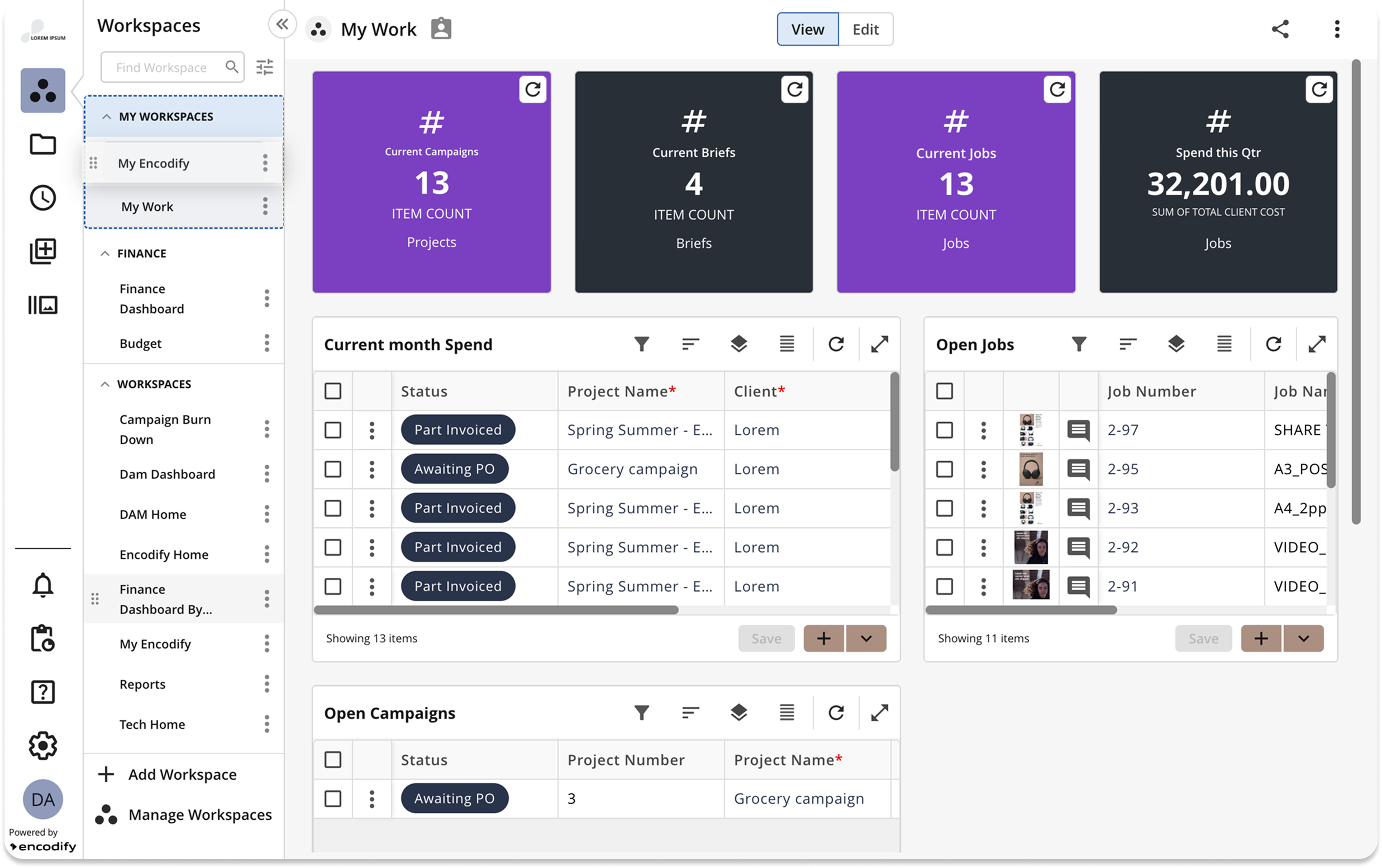
Workspaces side navigation sorting by drag-n-drop: now it is possible to customise the sort order of workspaces in side navigation by dragging and dropping them at a desired location. Workspaces can be moved from one group to another and rearranged within a custom group using this method. This property is stored as a user preference.
Note: The custom sorting is not available for the generic “Workspaces” group, where the A to Z sort order is maintained.
Online Proofing
Filters in Multi-file Proofing Overview: We have improved the experience of reviewing assets in bulk by adding a filter functionality to the multi-file proofing view. Now it is possible to apply filters to the view, so only a relevant portion of assets is displayed. The filters available are the same options present in the inline module view, so if any filter is applied there can be carried when Multi-file Proofing is launched from the module toolbar.
.png)
Module Views
Main module actions condensed in a single button in smaller screens: Now, when space is reduced in module view toolbars, actions like Bulk Upload, Export, etc., are grouped into a single split button, improving usability and saving space. This behaviour is already present in the Spreadsheet Widget.
Increased the maximum height of multi-select fields: multi-selection fields now expand up to 600px, so more values are visible without scrolling.
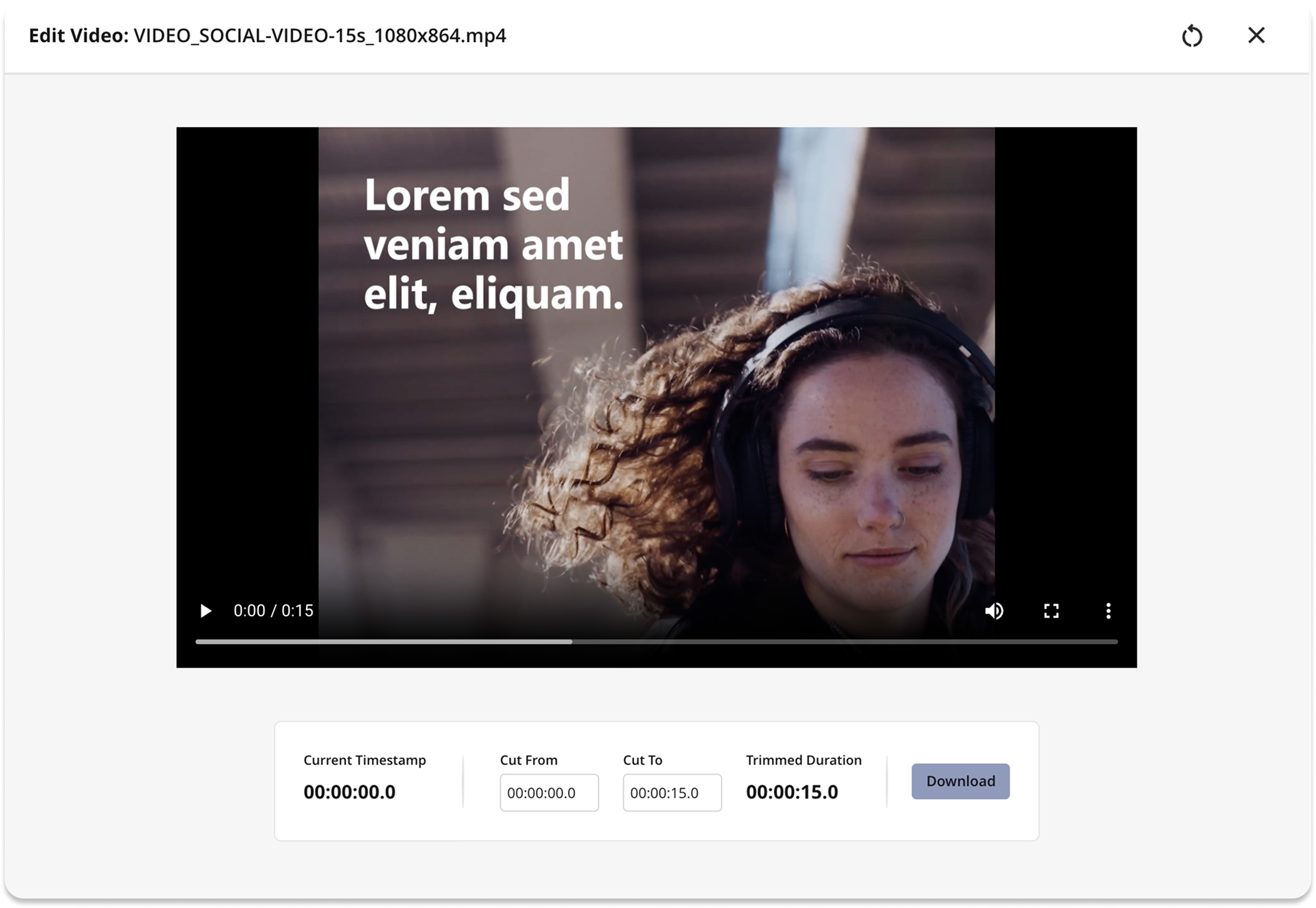
Visual changes in Lightbox, Image Editor and Video Editor: Following other enhancements made on the platform appearance, now the Lightbox, Image and Video Editors also have the look and feel updated to a cleaner design.
Encodify Apps
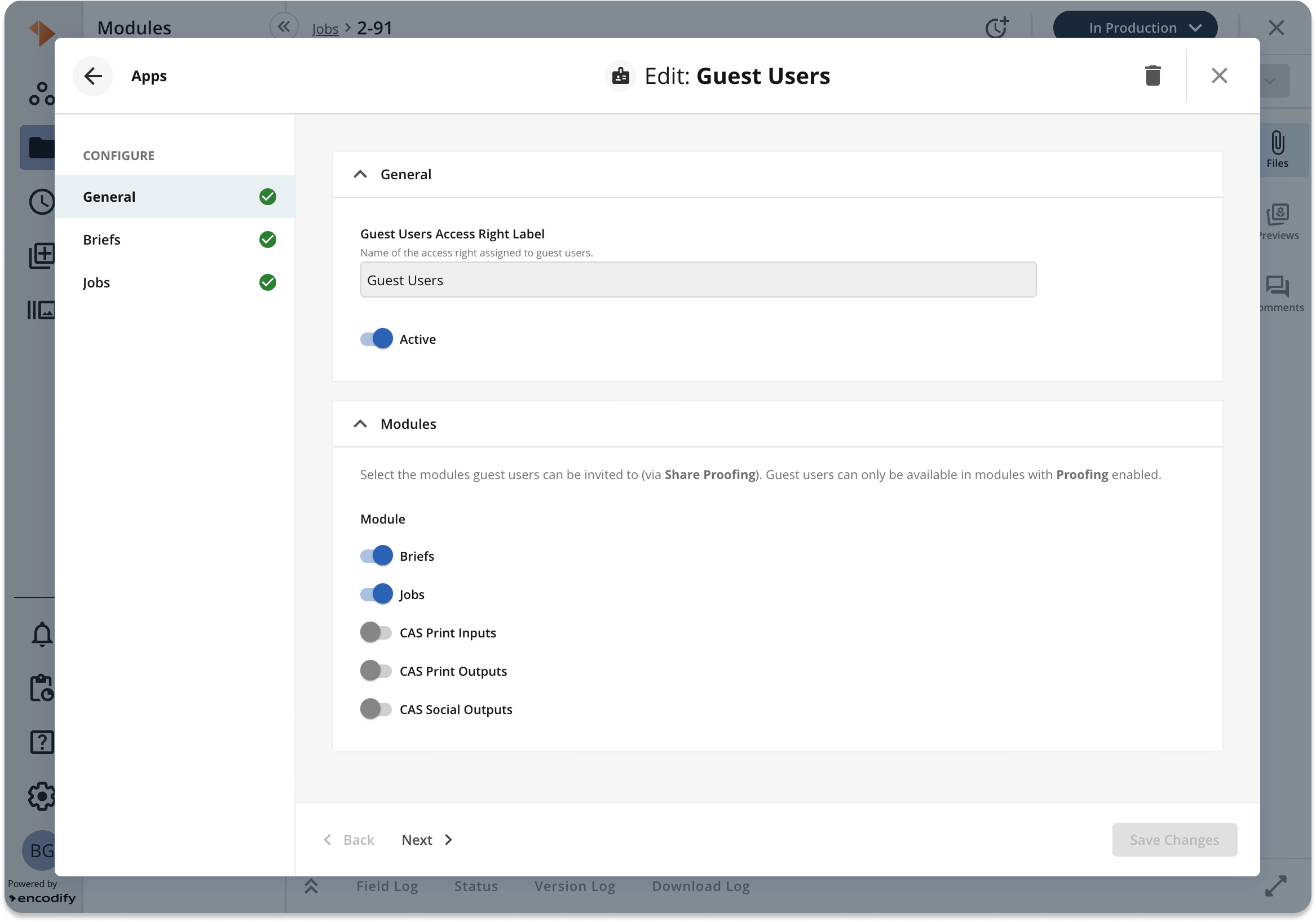
Guest User configuration migrated to an App: The configuration of Guest Users was migrated from Site Configuration to the Apps Library. Now, Admins can enable this functionality similarly to how other apps are configured. The functionality of Guest Users remains unchanged.
No Code Solution Engineering
Automation Rules
Icon and Text Colours in Formatting Rules: Improved the customisation options of Formatting Rules by allowing icon colour to be set separately from text colour.
Breaking Changes
DECOMISSIONED
Cleaned up code after decommissioning flash previews
Switched to the browser’s native video player for video previews.
Decommissioned configuration and functionality of the “Blueprint List”
Removed calculation fields as options for "Prefill By" in module fields default values
Performance Optimisation
Improved the performance of user management by fetching only the necessary fields.
Optimised performance of notifications by removing unnecessary calculations.
Added the ability to pause the Google Cloud Storage sync process without restarting the web app, and ensured the sync will automatically restart if interrupted.
File previews are now fetched immediately when a file conversion finishes, instead of waiting for a timed refresh.
Updated QuickSearch to only index linked fields for module links, making search behaviour more predictable.
Upgraded the WebViewer UI to the latest version (11.3.0).
Changed database type for new text fields to MEDIUMTEXT to support more content.
Addressed performance bottlenecks across the application.
Fixes
Fixed an issue where the Adbuilder save button could be clicked repeatedly, causing problems.
Fixed column filters not being retained when used with a saved filter.
Fixed errors when returning to the inline view after deleting the default filter.
Fixed a race condition causing the number widget to revert to old filters.
Fixed backend validation to prevent saving a rule with an empty value in a list.
Fixed user profile picture only updating after refresh in 'User Options'
Fixed a problem where tab content was misplaced in Split View.
Fixed an issue in proofing annotation where the text selection stroke was reset on reload, and the option to modify the stroke was hidden.
Fixed an issue where widget settings would close automatically when a data request finished during editing. Now, the settings panel stays open while data loads.
Fixed a bug where adding a filter to a UI Event action in the Hours app would break the app and prevent it from loading.
Fixed a bug where the “Select All” checkbox was active even when there were no search results, which could confuse users.
Fixed a risk of data loss during syncing to Google Cloud Storage if the webapp is restarted during the process.
Fixed the "Create items" button in Bulk Create, which stayed disabled after uploading files and closing/reopening the page.
Corrected an issue where adding a notification channel always added it to the first group, even if the user selected the second group.
Fixed inconsistent access control for restricted filters, now showing a user-friendly warning if a user tries to load a filter they don’t have access to.
Fixed formatting in item view so that formatting no longer resets when navigating between items in certain modules.
Fixed an error when clicking the arrow to expand sub-products during content loading in Page/Briefing view.
Fixed the error when downloading files from the Lightbox.
Fixed the possibility to select individual items for bulk operations in the inline split view with applied grouping.
Corrected Velocity quotes in the Syntax Help page.
Fixed empty menu options appearing in the Item Action Menu for users with read-only access.
Prevented guest users from gaining unintended access to imported modules.
Added an upgrade task that changes the DB fields of the type TEXT to MEDIUMTEXT, which ensures more data can be stored in the field. The upgrade task is optional and can be executed on demand.
Made validation layout consistent and ensured required fields are validated in User Management > User Edit.
Fix to ensure consistent synchronisation of user updates and associated actions and rules execution.
Corrected the styling of the disabled “Save Link” button in the Files Panel when reviewing a website, aligning it with the expected visual state.
Prevented saving of corrupted dynamic rules, ensuring only valid rules are stored and executed.
Fixed the inability to delete a just-uploaded new version in the multi-file field, so recent uploads can be removed as expected.
Corrected validation for creating email-connected services so that configuration is properly verified at creation time.
Improved the pre-check procedure for Dashboards–Workspaces migration to better validate readiness and reduce migration issues.