Overview
When a new user logs into the application for the first time, they must be required to accept one privacy policy before accessing the system, so that compliance is ensured, transparency is maintained, and acceptance can be monitored. Every time the privacy policy is updated, users must be required to accept again, so they comply with the latest changes in the document. If the user declines to accept the policy, access to the system will be denied.
Managing Privacy Policy
Accessing the Privacy Policy
Navigate to Resource Centre from the left-hand sidebar.
Open Legal Information > Privacy Policy.
.png)
An image showing “Privacy policy” menu option in sidebar
Previewing the Privacy Policy
The Privacy Policy preview opens by default in a modal window where user can
Read the full Privacy Policy content.
Scroll vertically to review all sections.
See the header text, policy title, effective date, and last updated date.
Access (⋮) menu with “Edit Content”, “View Change History” options (Note: only system admins are allowed to access menu)
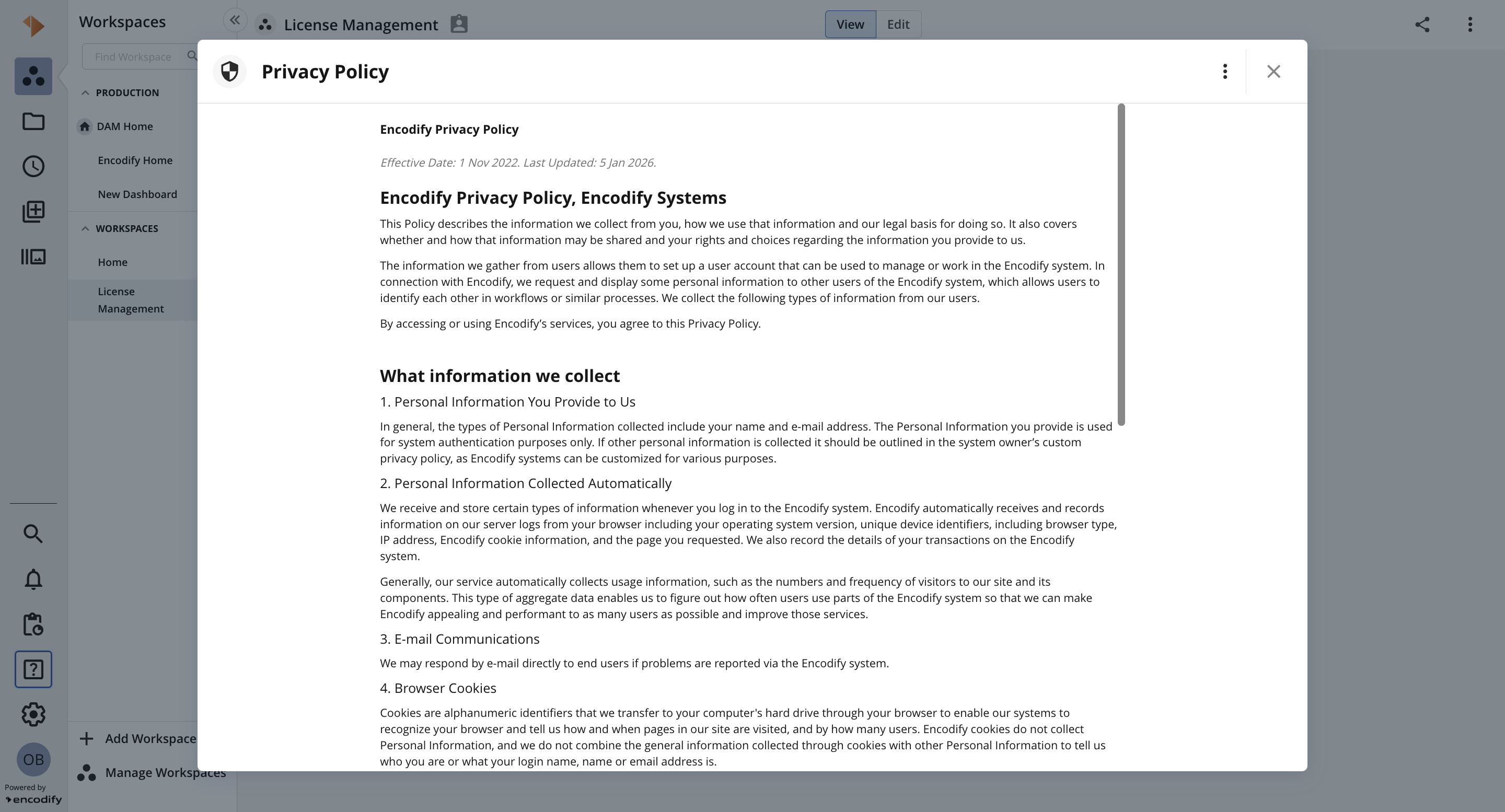
An image showing modal with Privacy Policy preview
Note: all users are allowed to access and preview Privacy Policy
Editing the Privacy Policy
Open the three‑dot (⋮) menu.
Select
 Edit Content.
The privacy policy opens in an editable mode.
Edit Header text, Title, Effective date, Content
Click Publish Changes to save and apply the updated Privacy Policy.
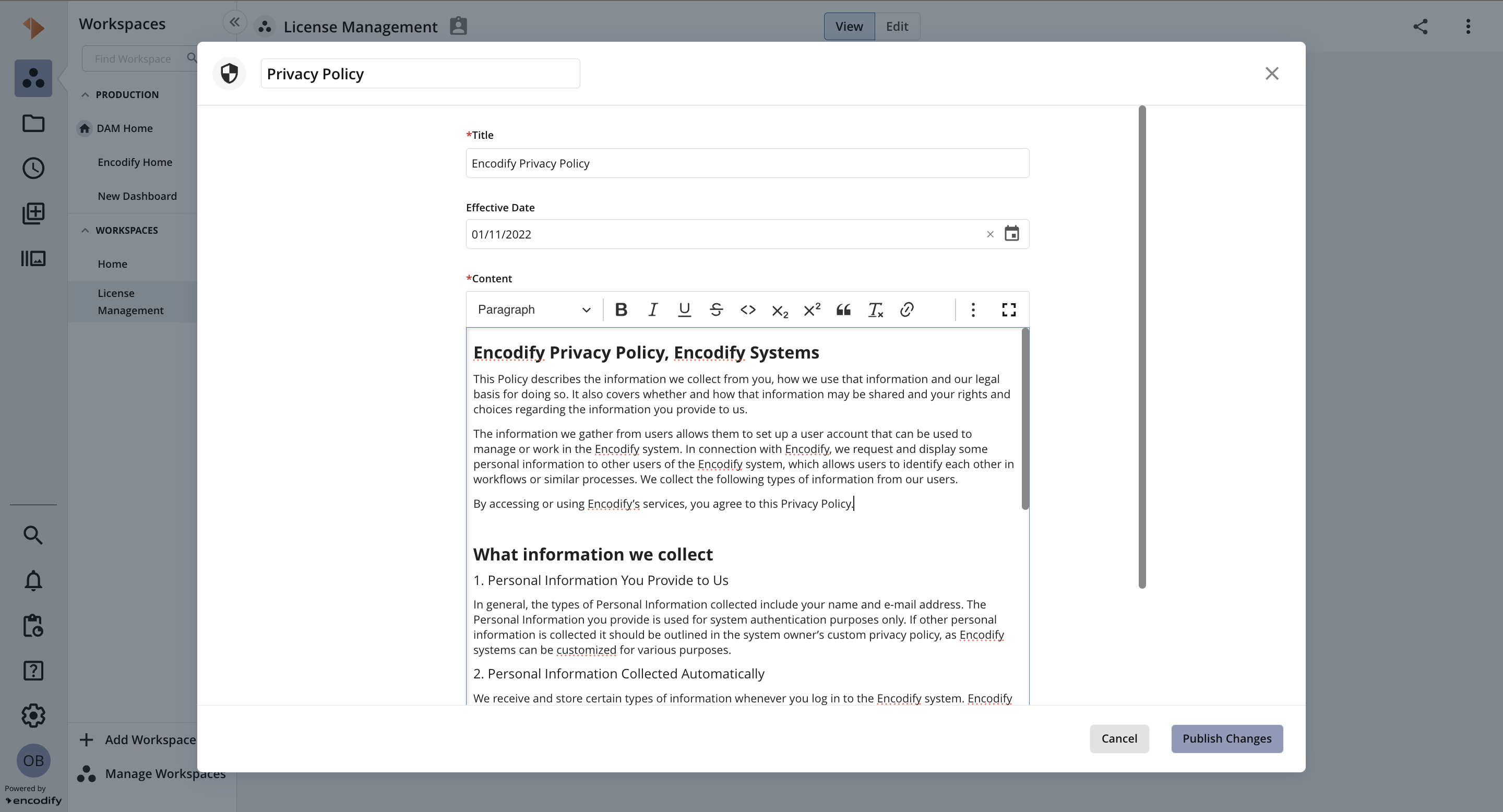
An image showing Privacy Policy in edit mode
NOTE:
only system admin is allowed to edit Privacy Policy
adjusted header text will be reflected in sidebar (Resource Centre > Legal Information) and on Edit User page accordingly
Change History
The Change History view provides a detailed audit trail of all modifications made to the Privacy Policy.
How to access:
Open the three‑dot (⋮) menu.
Select
 View Change History
Change History table contains:
Date: Date and time when the change was made
User: Name of the user who made the change
Field: The specific field that was modified
From: Previous value
To: Updated value
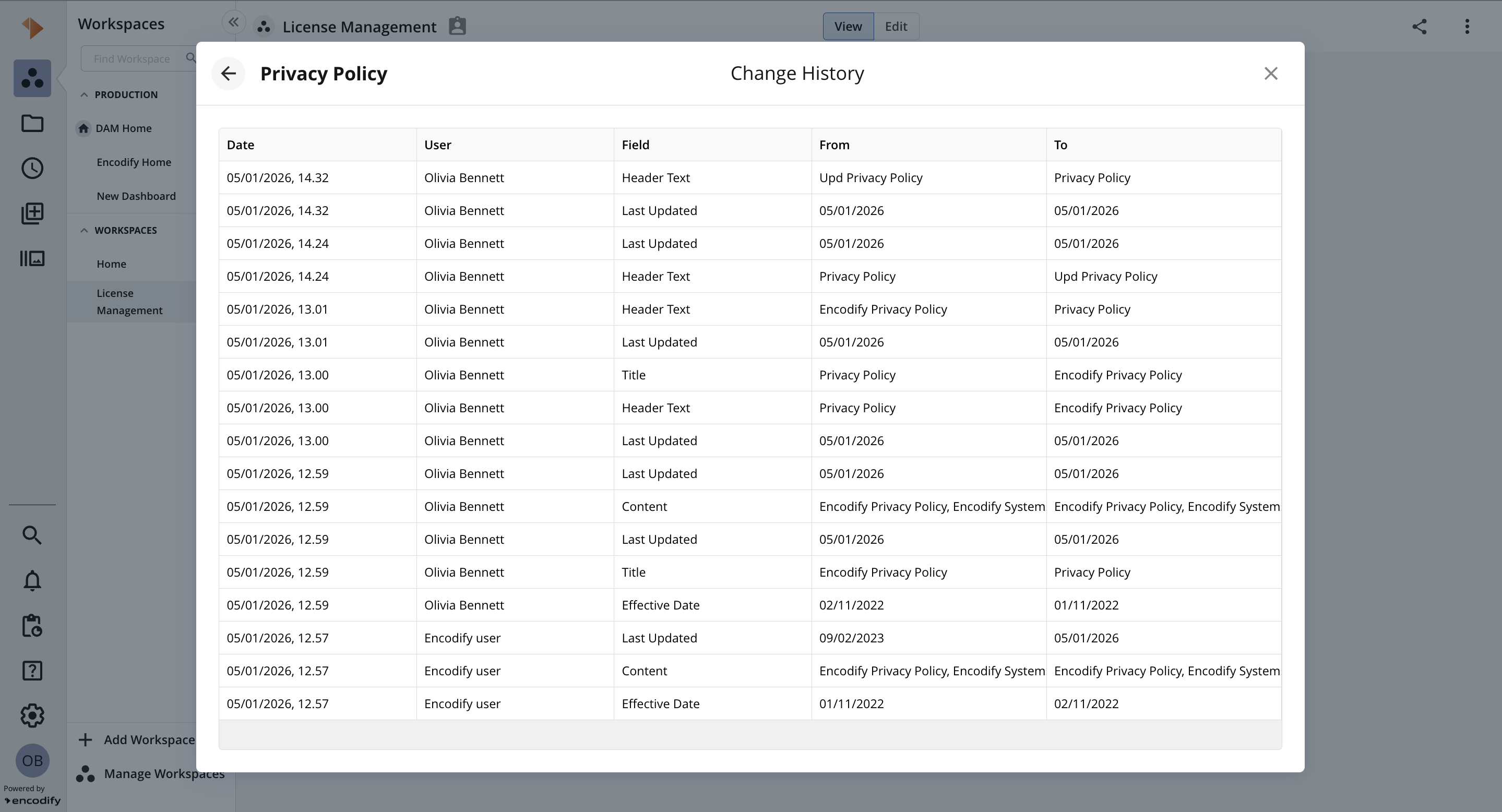
An image showing Change History
NOTE: only system admin is allowed to view Change History
Key notes:
It is not possible to create new Privacy Policy or delete existing Privacy Policy
Only one Privacy Policy can be active
Custom Privacy Policy marked as “current” is migrated and available for view and edit. If no “current” policy was available before migration then policy matching Encodify Privacy Policy is available.
Visualisation of Privacy Policy during login
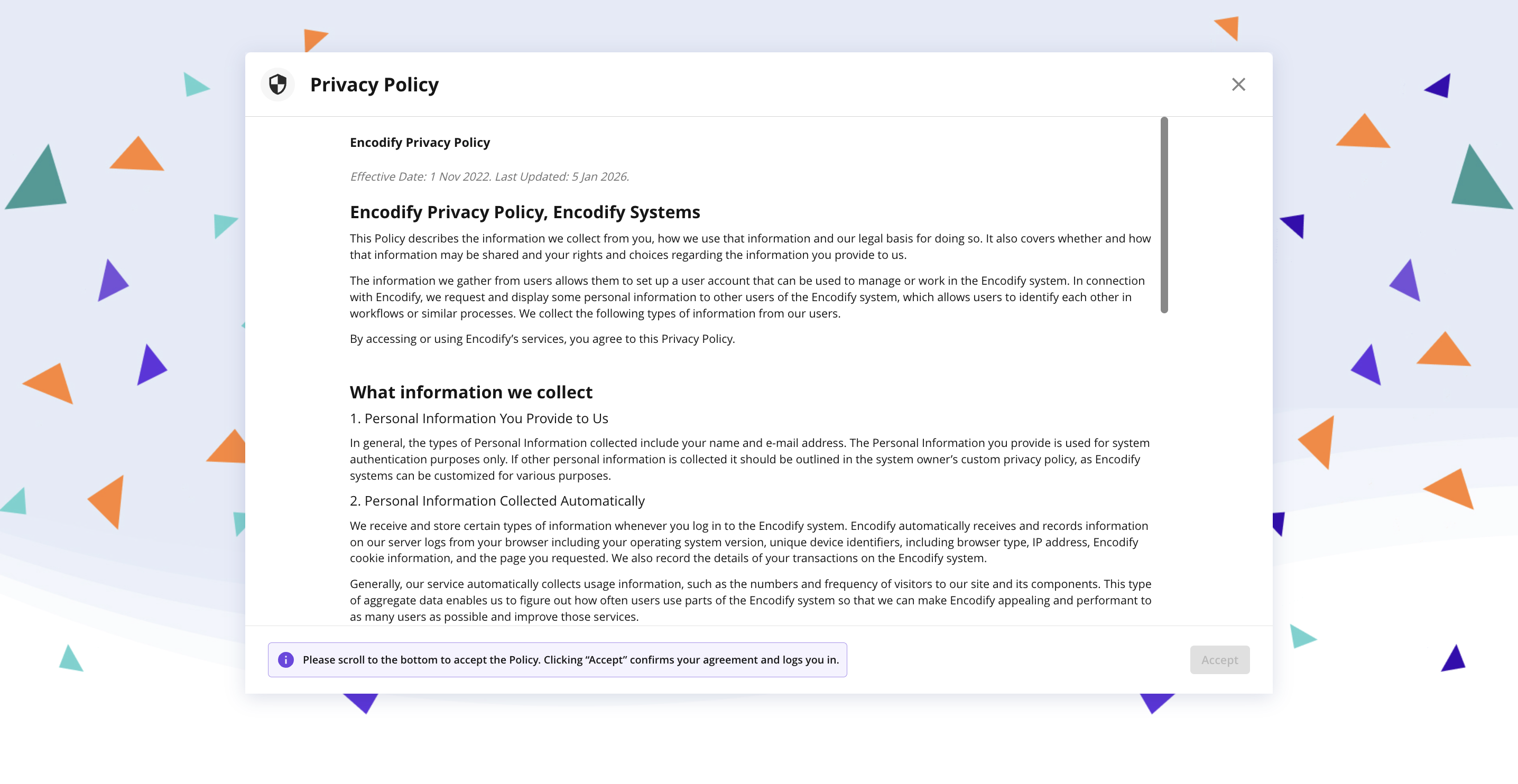
An image showing Privacy Policy during login